FineVu Wi-Fi Dongle 2.4GHz / 5GHz – Genuine Accessory
Australian Stock • Fast Dispatch • Local Support
Genuine FineVu accessory supplied by FineVu Dashcam Australia, operated by JY Networks Pty Ltd.
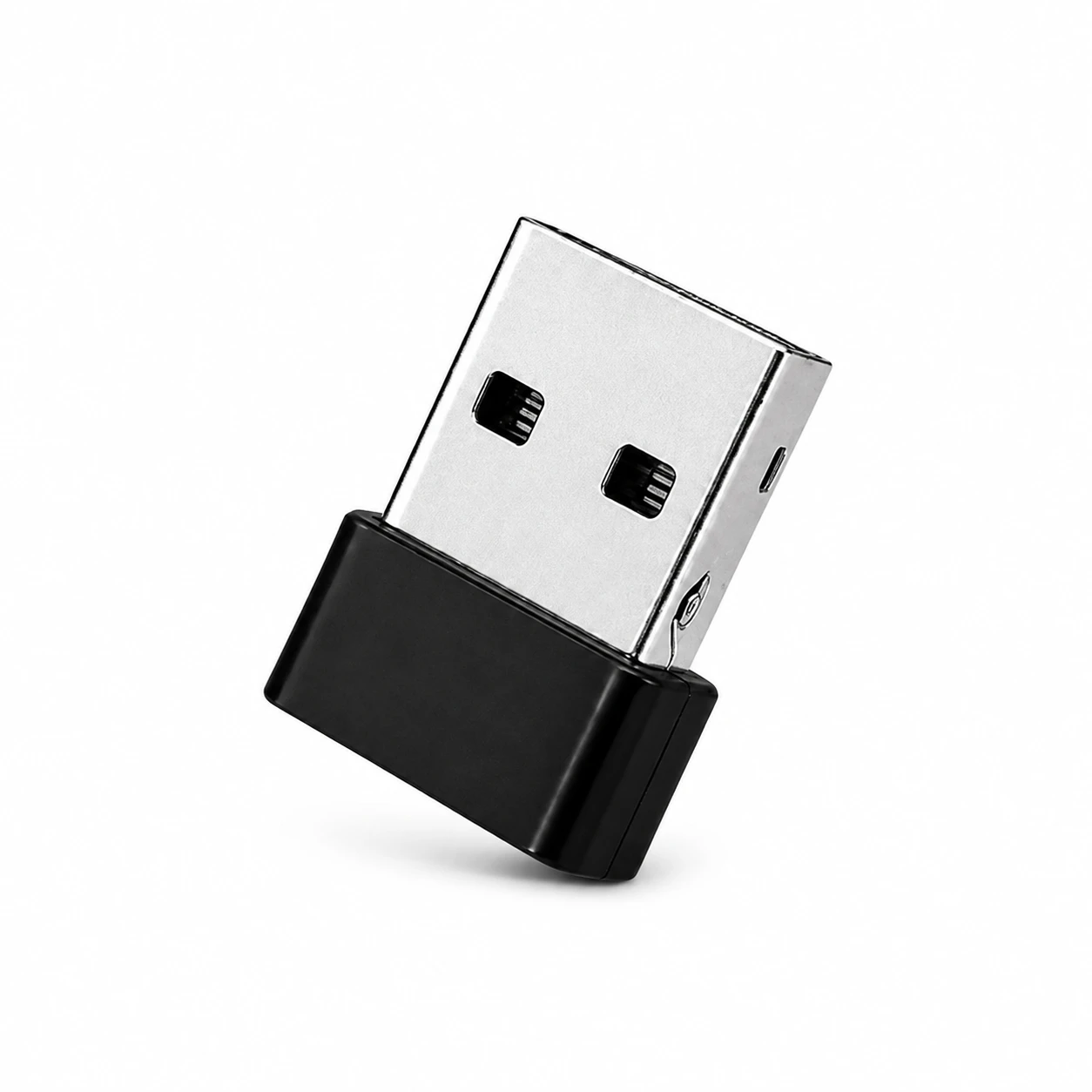
The genuine FineVu Wi-Fi Dongle allows compatible FineVu dashcams to connect to the FineVu mobile app for video playback, file downloads and dashcam setting changes.
It is ideal for replacing an original Wi-Fi dongle that has been lost or damaged. It supports both 2.4GHz and 5GHz Wi-Fi connections on compatible FineVu models.
Short Description
Genuine FineVu Wi-Fi Dongle for compatible FineVu dashcams.
Connect your dashcam to the FineVu mobile app to view recordings, download videos and adjust supported settings from your smartphone.
✅ Genuine FineVu Accessory
📶 2.4GHz / 5GHz Wi-Fi Support
📱 FineVu App Connection
🎥 Playback & Download Videos
⚙️ Change Dashcam Settings
🚚 Fast Dispatch from Australia
Key Highlights
FineVu App Connection
Connect your compatible FineVu dashcam to the FineVu mobile app using Wi-Fi.
2.4GHz / 5GHz Support
Supports dual-band Wi-Fi connections on compatible FineVu models.
View and Download Recordings
Check recorded footage directly from your phone and download important video files when needed.
Change Dashcam Settings
Adjust supported camera settings through the FineVu app without removing the memory card.
Genuine FineVu Accessory
Designed for reliable connection and compatibility with supported FineVu dashcam models.
Compatible Models
Suitable for the following FineVu dashcam models:
GX300 • GX30 • GX35 • GX400 • GX7000 • GX4K • GX1000
If you are unsure about compatibility, please contact us with your FineVu model number before purchasing.
Recommended For
- Replacing a lost Wi-Fi dongle
- Replacing a damaged Wi-Fi dongle
- Restoring the FineVu app connection
- Viewing recordings from your phone
- Downloading important video files
- Changing supported dashcam settings
How It Works
- Plug the Wi-Fi dongle into your compatible FineVu dashcam.
- Turn on Wi-Fi mode on the dashcam.
- Connect your smartphone to the FineVu Wi-Fi network.
- Open the FineVu app to view footage, download files or change settings.
Important Notes
Wi-Fi Use
The Wi-Fi connection is only required when viewing videos, downloading recordings or changing settings. Your dashcam does not need to remain connected to your phone.
Wireless CarPlay and Android Auto
Wireless Apple CarPlay or Android Auto may interfere with the dashcam’s Wi-Fi connection. If the connection fails, temporarily disconnect CarPlay or Android Auto before connecting to the FineVu Wi-Fi network.
Compatibility
This dongle is suitable only for the compatible FineVu models listed above. Please confirm your model before ordering.
What’s Included
1 × Genuine FineVu Wi-Fi Dongle
Frequency support: 2.4GHz / 5GHz
Warranty
Includes a 1-year accessory warranty. Local order and warranty assistance is provided by JY Networks Pty Ltd.